From Punch Cards to AI Assistants: What Changed in My Lifetime
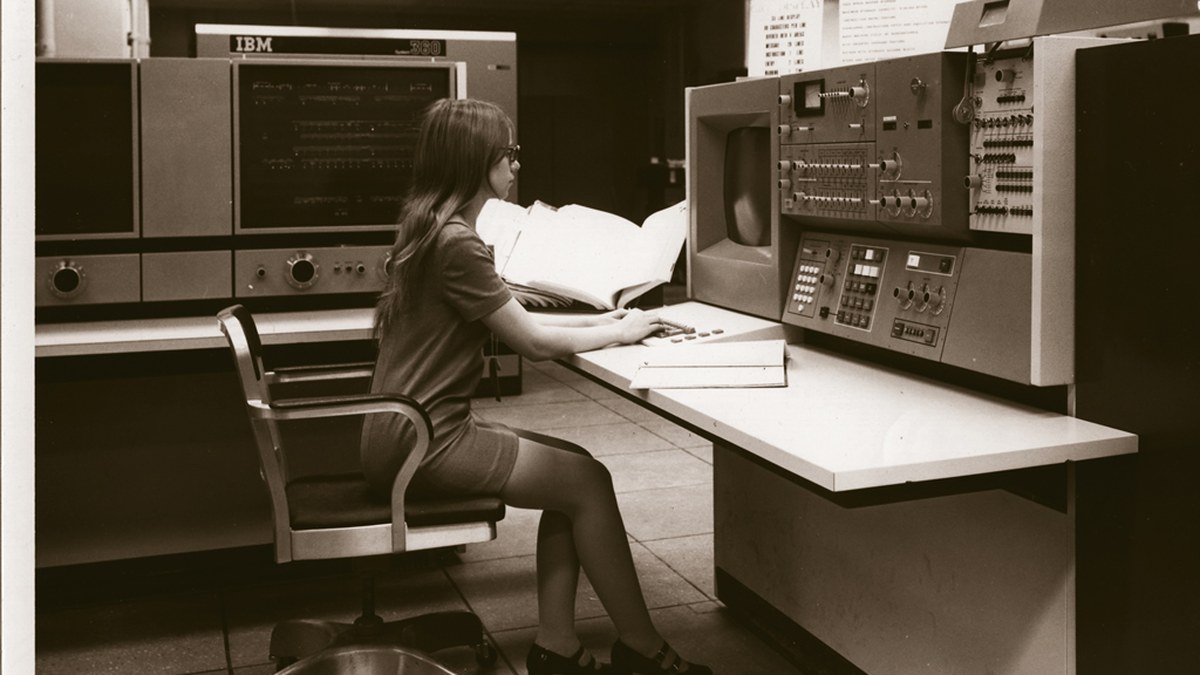
An IBM System/360 console, January 1971, the same family of machines I worked with at Sun Life. Photo: U.S. National Security Agency, public domain, via Wikimedia Commons.

Let's go back in time. Or, put another way: what changed in your lifetime?
In the 1970s, I was working for Sun Life of Canada. My job had me using something called JCL, short for Job Control Language. In plain terms, it was a set of instructions that told the computer which program to run and which data to use. We used it to get "queries" running against our large database of policyholders.
And JCL was written on punch cards. One instruction per card. Drop the box, and you had a very bad afternoon.
The machine in the VERY large room
Our computer was an IBM 360, later upgraded to a 370, around 1978 or 1979. It was housed in a VERY large room. On one wall there was a rack of "big" books with all the diagrams of this complicated machine.
When something went wrong, an IBM technician (on-site 24/7) would look at the console lights, nod his head, and hit book 12, page 92, paragraph 11. Then he would scratch his head and go back to book 4... Then he would press a few keys on the console, switch a few rockers, pray to the gods of computing and press the run key.
Elapsed time: one hour. Fixed? Half of the time.
When it wasn't fixed, we repeated the whole thing, after a lengthy conversation with more senior technicians.
Today
Today, if I have a bug in my code (rarely 😂), I describe the situation in plain terms and press Enter. Within seconds, I get an answer and a proposed plan of action to fix the bug.
If I agree with the plan, I just say so, and the assistant does what is required to fix the bug and get the system running smoothly again. I stay in charge. Nothing happens until I say yes.
Then and now
| Then (1970s) | Now | |
|---|---|---|
| How you describe the problem | Console lights and a rack of manuals | A few sentences in plain language |
| Who does the work | An on-site technician, then more senior technicians | My AI assistant, with my approval |
| Time to a fix | About an hour | Seconds to minutes |
| Success rate | About half the time | Most of the time, and I check the result |
| Your role | Wait and hope | Read the plan, say yes or no |
All of this in less than 60 years.
Answer, or act?
What strikes me most is not the speed. It is that the assistant doesn't just tell me what is wrong. It proposes a plan and, once I approve, it does the work.
That is the difference I wrote about in Answer or Act: What Business Leaders Say About AI Assistants. Most people still use AI as a super Google: ask a question, read the answer, stop there. The real change comes when you hand it a task, and keep the final say.
The lesson
So here is my question for you: do you want to stay in the 70s, or move along?
I and my AI assistants work this way every day. It makes a small business more agile. It lets you respond faster, and it frees up time to build new and attractive products and services that your market will buy.
You don't need to change everything at once. Start small. Pick one task that eats up your week, such as follow-up emails, quotes or a weekly report, and try handing it to an AI assistant this week. You review, you approve, it does the work.
If you'd like help picking that first task, or simply want to talk it through, book a free 30-minute call with me: https://calendly.com/jeromechboyer/30min
No punch cards required.